• Home
  • Blog
  • Ask
  • About
    • Looking For Writer

SimpleiPhone

Menu

  • Apps
  • Feature
  • How To
    • Intermediate
    • Novice
  • Misc
  • News
  • Quick Tip
  • Like us on Facebook!

    Like us on Facebook!
  • Enter your email address to follow this blog and receive notifications of new posts by email.

    Join 93 other subscribers
    • Tom's avatar
    • Sam's avatar

Browsing Tags timesaver

How To: Get Quick Access to Music Controls and the “Camera” App From the Lock Screen

March 1, 2012 · by Sam

Have you ever been listening to music on your iPhone while jogging and a song that you didn’t like came on? You want to skip to the next track, but you don’t want to have to fiddle with your iPhone—having to unlock it, then having to navigate to the “Music” app, and then having to tap the “next track” button. If only there was a way to quickly skip to the next track!

Alternatively, have you ever seen something amazing happen and you wanted to take a quick snapshot of it, but the moment was gone by the time you got your iPhone out, unlocked it, opened the “Camera” app, and snapped the picture. If you could have just taken the picture a second earlier, you would have been able to capture an amazing picture. If only you could quickly access your iPhone’s “Camera” app without having to go through all of those steps.

You’re in luck! Both of these situations have a quick and easy remedy.

This brief tutorial will teach you how to quickly access (1) music controls and (2) your iPhone’s “Camera” app, all without having to unlock your iPhone and navigate to the respective app.

Read More →

Share this:

  • Tweet
  • Click to email a link to a friend (Opens in new window) Email
Like Loading...

How To: Use Spotlight Search

February 28, 2012 · by Sam

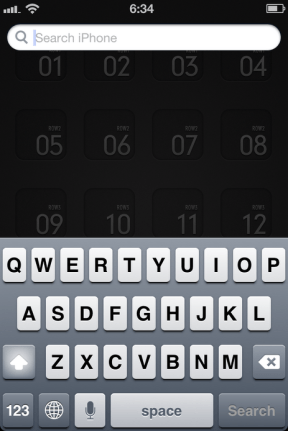
Spotlight Search is basically a “Google” for your iPhone. When you type in a search, Spotlight Search will scour your entire phone for whatever it is that you searched for. You can search for things like contacts, apps, music (including songs, albums, and artists), notes, events, podcasts, and more. This can be a real timesaver if you have a lot of music and want to quickly play a song or if you have downloaded a lot of apps and can’t seem to remember where the app is on your homescreen. All you have to do is start typing the name of the song or the app and Spotlight Search will bring it right to you!

This tutorial will teach you: (1) how to use Spotlight Search, and (2) how to customize your search results by excluding specific categories of items from the search results (like excluding music or contacts from your search results).

Read More →

Share this:

  • Tweet
  • Click to email a link to a friend (Opens in new window) Email
Like Loading...

How To: Setup Keyboard Word Shortcuts

February 18, 2012 · by Tom

One of the most underrated features of iOS 5 is the ability to assign customizable keyboard word shortcuts to any string of letters. For example, this enables you to type “def” and once you hit the space bar it will automatically change to “definitely”. I’m not sure about you but I misspell that word more often than not, so this feature has really been helpful to me.

I’ll help you set these up for yourself!
Read More →

Share this:

  • Tweet
  • Click to email a link to a friend (Opens in new window) Email
Like Loading...
  • Recent Posts

    • How To: Turn on Auto-Update for Apps
    • Quick Tip: Turning Rotation Lock (Orientation Lock) On and Off
    • How To: Speed Dial using Workflow on Your iPhone
    • How To: Change the Wallpaper on Your iPhone’s Home Screen and/or Lock Screen
    • How To: Quickly Free Up Space on Your iPhone
  • Like us on Facebook!

    Like us on Facebook!
  • Create a free website or blog at WordPress.com.
  • Connect with us:
  • Twitter
  • Facebook
  • YouTube
  • RSS
Privacy & Cookies: This site uses cookies. By continuing to use this website, you agree to their use.
To find out more, including how to control cookies, see here: Cookie Policy
  • Subscribe Subscribed
    • SimpleiPhone
    • Already have a WordPress.com account? Log in now.
    • SimpleiPhone
    • Subscribe Subscribed
    • Sign up
    • Log in
    • Report this content
    • View site in Reader
    • Manage subscriptions
    • Collapse this bar
 

Loading Comments...
 

    %d