• Home
  • Blog
  • Ask
  • About
    • Looking For Writer

SimpleiPhone

Menu

  • Apps
  • Feature
  • How To
    • Intermediate
    • Novice
  • Misc
  • News
  • Quick Tip
  • Like us on Facebook!

    Like us on Facebook!
  • Enter your email address to follow this blog and receive notifications of new posts by email.

    Join 93 other subscribers
    • Tom's avatar
    • Sam's avatar

Browsing Tags tutorial

How To: Get Some Peace and Quiet with ‘Do Not Disturb’ Mode

November 26, 2012 · by Tom

We all have those times when we just need to get away from the world and to not be so easily pulled away from a task we’re trying to accomplish. With iOS 6 we have an option on our iPhones to go into “Do Not Disturb” mode which will temporarily stop incoming calls and notifications. You can turn this on manually or schedule a reoccurring time.

Read More →

Share this:

  • Tweet
  • Click to email a link to a friend (Opens in new window) Email
Like Loading...

How To: Save Any Picture to Your iPhone

November 5, 2012 · by Tom

Viewing photos on your iPhone is one of the best ways to utilize that stunning retina display. If you are viewing an image on your iPhone, there’s a way to save it.  Read More →

Share this:

  • Tweet
  • Click to email a link to a friend (Opens in new window) Email
Like Loading...

How To: Track Hurricanes with Your iPhone

October 29, 2012 · by Tom

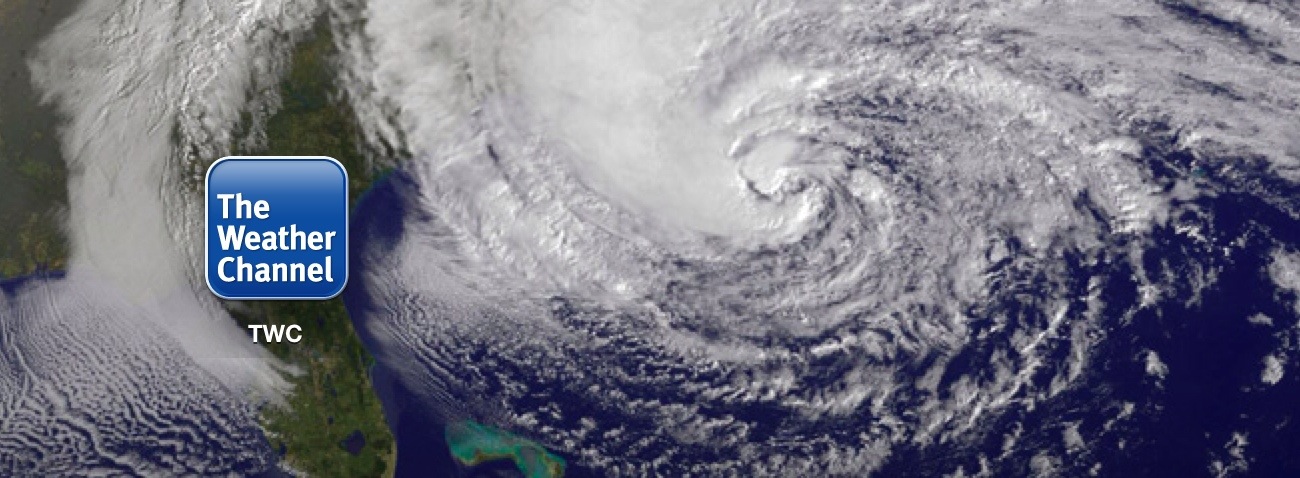
The largest storm of our generation is barreling towards the East Coast. Learn how to track every move of Hurricane Sandy right on your iPhone no matter where you are!

Read More →

Share this:

  • Tweet
  • Click to email a link to a friend (Opens in new window) Email
Like Loading...

How To: Get Directions to Anywhere from Anywhere

October 18, 2012 · by Tom

It’s a dark windy morning and you have no idea where you are. Read More →

Share this:

  • Tweet
  • Click to email a link to a friend (Opens in new window) Email
Like Loading...

How To: Open Apps With Siri

October 17, 2012 · by Tom

20121017-211510.jpg

Apps can sometimes be hard to find. You have to go paging through your pages and checking folders just to find that one app you need. Wouldn’t it be nice if you could open apps just by saying the name of the app? Well, you can! Read More →

Share this:

  • Tweet
  • Click to email a link to a friend (Opens in new window) Email
Like Loading...

How To: Watch Live Sports on Your iPhone

June 17, 2012 · by Tom

This feature is a glimpse of what the future will be like. No more big cable subscriptions just to get the few channels you actually watch. You can watch practically anything you want, when you want, on the internet. Sports are no exception.

ESPN has an iPhone app that allows customers of qualified cable providers to watch their ESPN network of channels all right from their iPhones! But yes, there’s a catch. If you read carefully, you would have noticed I said “customers of qualified cable subscribers.” We figure there is some contractual agreement between ESPN and the cable providers that inhibit ESPN from offering this for free. Here’s to hoping someday it all changes for the better!

Read More →

Share this:

  • Tweet
  • Click to email a link to a friend (Opens in new window) Email
Like Loading...

How To: Create and Send Awesome Cards to Anybody in the World

May 29, 2012 · by Tom

This one is just fun. Apple has an app called “Cards” that lets you create stunningly detailed cards to send to family and friends, sent in clean vintage-looking envelopes. And the best part is, you can do it all right from your iPhone… postage included! Your recipient will love it!

Read More →

Share this:

  • Tweet
  • Click to email a link to a friend (Opens in new window) Email
Like Loading...

How To: Check Your Data Usage

March 20, 2012 · by Tom

Are you one of the select few iPhone users who nabbed the unlimited data plans before they became extinct? If not, you’re probably stuck with a plan that only allots a certain amount of data for you to use each month. This can make people nervous sometimes because they fear going over their limit and thus getting charged for more.
But fear not! There is a way for you to quickly check your data usage so you can be confident you are well within the confines of your data plan, and likewise you will be able to sleep better at night (maybe!). Read on!

Read More →

Share this:

  • Tweet
  • Click to email a link to a friend (Opens in new window) Email
Like Loading...

Quick Tip: Control GPS Signal To Improve Battery Life

March 14, 2012 · by Tom

Ever get mad at your iPhone for dying so fast? Well don’t get too mad because it might not be your iPhone’s fault! It’s trying its best! One thing to check is to see if your iPhone’s GPS is working too hard for no reason. Let’s find out.

Read More →

Share this:

  • Tweet
  • Click to email a link to a friend (Opens in new window) Email
Like Loading...

How To: Use LED Flash As Text Alert

March 13, 2012 · by Tom

With the addition of the LED flash in Apple’s iPhone 4 and 4S, you can now allow the flash to act as a notification alert. For instance, if your iPhone is sitting on the table facedown and the ringer is on silent, you will see a quick flash of the LED light to grab your attention. Pretty cool, huh? For those of you that used to have Blackberry’s way back in the day, you might recall one of the better features was the versatility of the LED flash indicator. Now, the iPhone has it too. Read on to learn how to set this up within seconds!

Read More →

Share this:

  • Tweet
  • Click to email a link to a friend (Opens in new window) Email
Like Loading...
Page 1 of 2 1 2 Next »
  • Recent Posts

    • How To: Turn on Auto-Update for Apps
    • Quick Tip: Turning Rotation Lock (Orientation Lock) On and Off
    • How To: Speed Dial using Workflow on Your iPhone
    • How To: Change the Wallpaper on Your iPhone’s Home Screen and/or Lock Screen
    • How To: Quickly Free Up Space on Your iPhone
  • Like us on Facebook!

    Like us on Facebook!
  • Blog at WordPress.com.
  • Connect with us:
  • Twitter
  • Facebook
  • YouTube
  • RSS
Privacy & Cookies: This site uses cookies. By continuing to use this website, you agree to their use.
To find out more, including how to control cookies, see here: Cookie Policy
  • Subscribe Subscribed
    • SimpleiPhone
    • Already have a WordPress.com account? Log in now.
    • SimpleiPhone
    • Subscribe Subscribed
    • Sign up
    • Log in
    • Report this content
    • View site in Reader
    • Manage subscriptions
    • Collapse this bar
 

Loading Comments...
 

    %d